Loughborough Online Reading List System
Archive for March, 2009
The EditDataElement API and Moodle IDs
30 Mar 2009
Today we added the first web API call that could actually change things in the LUMP database (as opposed to just reading from it). The driver for this came from integration with Moodle. Today we’d got a LUMP reading list to display from within Moodle, but we needed to be able to link a Moodle ID to a reading list SU. The resulting EditDataElement API call allows some flexibility in how the data element in question is specified. It could be by the data element’s ID, in which case the value is simply updated. However the client code might not know the data element ID or it might require a new one, so it can create/edit data elements by specifying the required new value, the ID of the SU that it is within and the data type name of the data element.
One subtle finese required is that some DTs are not repeatable but others are. For repeatable DTs the SU ID and DT name can be used to simply create a new DE. However for non repeatable DTs, a flag can be provided to indicate whether to replace any existing value. If a DE of the required DT already exists in this SU and this flag is not set to ‘Y’, a permission denied error is returned.
Tweaking output when rendering
30 Mar 2009
Had to slightly change the output XML when using GetStructuralUnit CGI script API. Originally if asked for HTML the code would just generate the HTML (or whatever format) for each child to the required depth level and just concatenate it. However this meant that higher levels couldn’t make formatting decisions based on details of lower levels – for example reading list SUs need to know when to turn off/on list tags in HTML depend on if children are notes or book/journal/article/etc SUs. The tweak was to always have the child return a structure:
$child->{su}->{render} = formatted output $child->{su}->{id} = child SU's IDThe child SU's ID field lets the parent's code make more intelligent rendering decisions.
Moodle Proof Of Concept
25 Mar 2009
by Jason Cooper
in LORLS
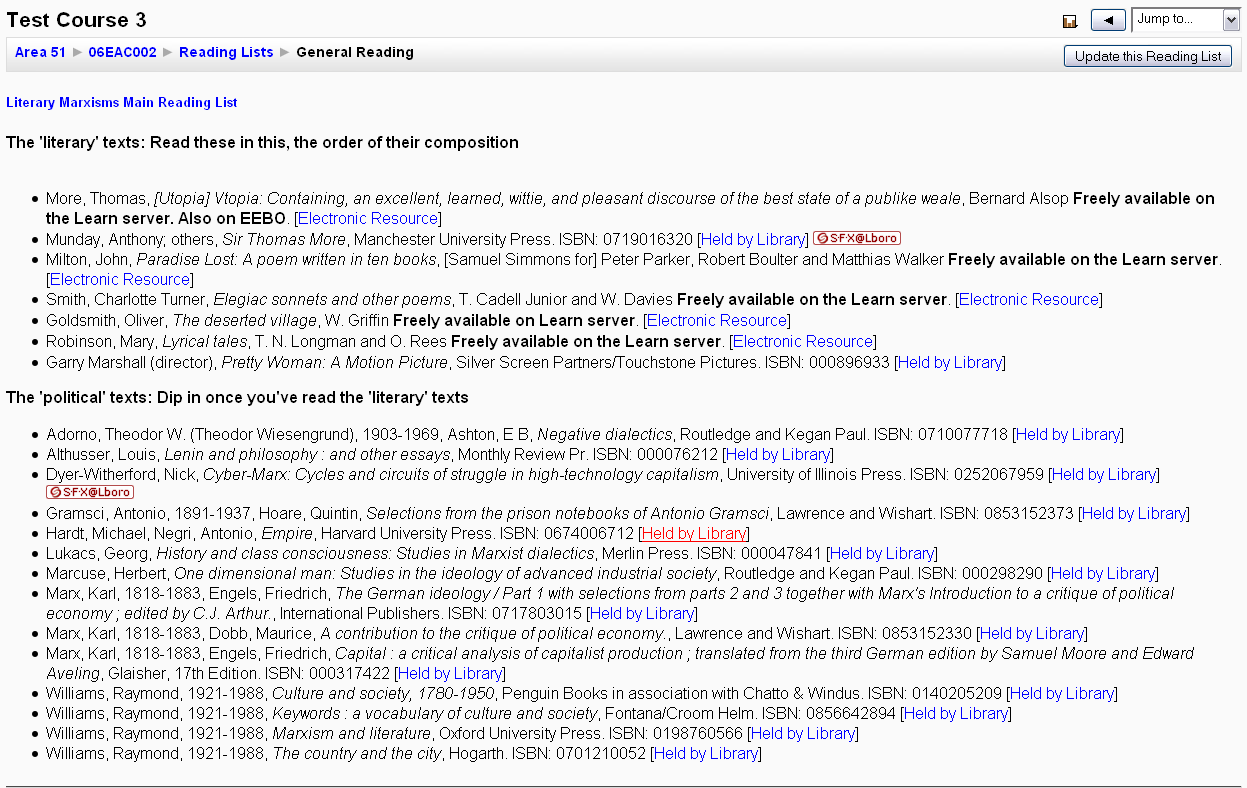
Today I got a very simple proof of concept together for a Moodle plugin. I thought it best to do it at this stage and one of the long term goals of redeveloping LORLS is to enable multiple front ends to work with the same back end. The main problem encountered was finding a way to link the resources in Moodle to the reading lists in LUMP.
The good news was that this was the sort of change that LUMP was designed to handle. A few minutes later and reading lists in LUMP had a moodleId data element which can be used to link each Moodle resource to the related reading list.
Deciding how to import LORLS materials into LUMP
23 Mar 2009
Had to produce the rules to attempt to convert LORLS rather lax material descriptions into SUs of the appropriate type (book, book chapter, journal, journal article, electronic resource or note). This decision is currently made using a variety of hints. For example book chapters are distinguished from journal article by the lack of an issue number and if the partauthor field isn’t filled in, or if the control number looks like an ISSN rather than an ISBN. It probably isn’t perfect but hopefully it will get 90% of the works right. And as long as most of the rest look OK when rendered, most folk won’t notice anyway!
Acting as other users
09 Mar 2009
We realised that we need to allow member of the Admin group to be able to act as other users. For example Moodle won’t know the user’s AD log in information but we still want LUMP to allow the Moodle logged in user to create, edit, delete and view LUMP objects as themselves (rather than just a default Moodle user). Thus we need to allow admin users to login with their own credientials (using one of the supported authentication mechanisms) and then switch to act as another user. In the web API this is achieved by passing an “act_as” CGI parameter filled in with the username that the script should appear to be running as. Currently only members of the Sysadmin group will have this power (which will need to include the Moodle block as “trusted” code).