Loughborough Online Reading List System
Archive for October, 2009
Editing Via CLUMP
26 Oct 2009
CLUMP has been progressing nicely this past month and we have now got it displaying items ready for editing. For this it first required the ability to login users, as the guest user hasn’t been given permissions to edit anything. Once logged in the user is then presented with the options to edit/delete items that they have permissions to edit.
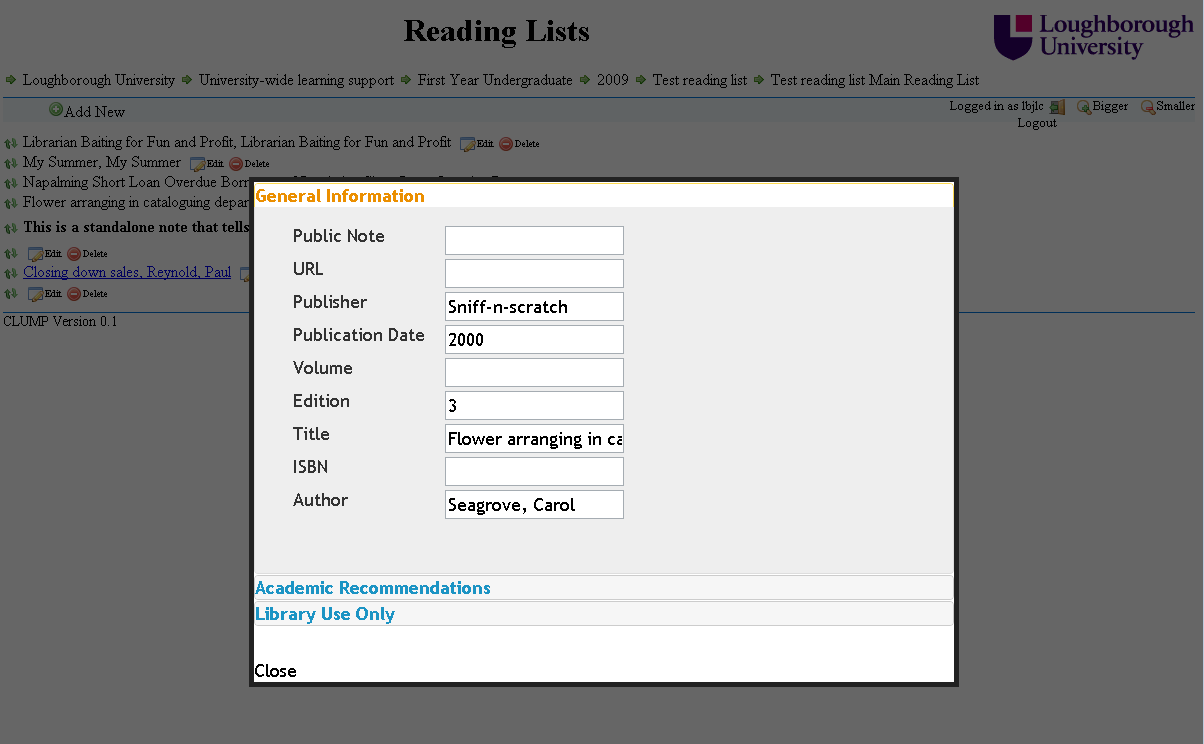
Another new feature is the ability to reorder lists using drag and drop. The reorder APIs aren’t implemented yet in LUMP though but once they are the code is all in place in CLUMP and so should be quite easy to implement.
My First Real Client
09 Oct 2009
Well today I have got the first version of CLUMP (Client for LUMP) at a stage where I felt it was actually usable. Currently it only displays entries visible to the guest user. All the data is pulled into CLUMP using AJAX.

Here is what a sample reading list currently looks like.
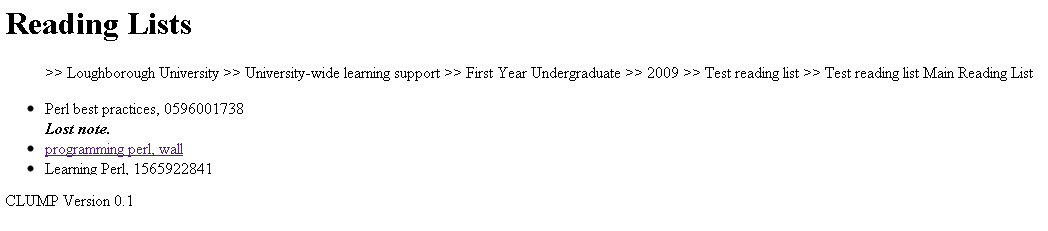
Here is screen shot of an individual item entry of a reading list.

As you can see it is functional an not very graphical, though there is the book covers from Google books being displayed at the item level if it is available. I am sure that over time this will become much more aesthetically pleasing and start to look more like 2010 than 1995.
Client Performance
05 Oct 2009
In the last month we’ve been getting to grips with client side coding. This has thrown up a few XML API calls that we decided we wanted or needed tweaking (such as checking authentications without returning anything from the database, listing all the structural unit types available and allowing substring searches in FindSUID). It had also given us pause for thought on the performance of the system.
The old LORLS database was pretty lean and mean: the front end code knows about the structure of the data in the database and there’s relatively few tables to have to handle. LUMP is more complex and thus more searches have to be done. Also by having an XML API we’re that bit more removed and there’s more middle ware code to run. We could just say “hang it” and ignore the XML API for a CGI based client which might speed things up. However we’ve been trying to “eat our own dogfood” and use the APIs we’re making available for others.
Some of the speed hacks for the imports won’t work with the clients – for example the CGI scripts that implement the XML API are short lived so the caching hacks wouldn’t work, even if the clients all did tend to ask for the same things (which will in fact be the case for things like the Institutation, Faculty, Department, etc information). One avenue that we could persue to help with this is mod_perl in Apache, so that the CGI scripts are turned into much longer lived mod_perl scripts that could then benefit from caching.
We’ve currently ended up with a sort of three pronged approach to clients code:
- Jimll is writing a CGI based LUMP client that makes minimal use of JavaScript (mostly for the Google Book Search fancy pants bit really),
- Jason has a basic PHP Moodle client to demonstrate embeddablity,
- Jason is also writing a AJAXy client side tool.
All of these use the XML API. I guess we should also have a non-XML API client as a bench mark as well – the CGI based LUMP client could do that relaively easily in fact. Something to think about if performance really does turn out to be a dog.
We’ve also been considering the usefulness of the Display Format stuff held in the database. The CGI based LUMP client and the PHP Moodle client both use this. However the AJAX client retrieves raw XML documents from the server and then renders them itself. This might be a bit faster, but it does mean that the client becomes tied to the structure of data in the database (ie add a new Structural Unit Type and you might need to dick about with your client code(s) as well).
How Best To Debug JavaScript.
01 Oct 2009
While starting to look at creating an AJAX client for LUMP I have come up against the old problem of how best to debug the code. Depending on the browser being used it debugging can be very easy or very difficult. FireFox, Google Chrome, etc. all give access to JavaScript consoles either natively or via a plug-in like FireBug. The problem comes with Internet Explorer (IE) that is very weak in the debuging side of things.
There is FireBug Lite which is a cut down version of FireBug that you can add into the web page HTML, the problem with this is that also then appears on your other browsers and sometimes seems to cause problems with them. I don’t want to have code in my client that say if you have this browser then do this and if you have that browser do that as it makes it difficult the maintain.
The solution that I am using is the following bit of code at the start
if(typeof(console)=='undefined')
{
  console={
    log: function (x) {alert(x);},
    warn: function (x) {alert(x);}
  };
}
Quite simply it looks to see if there is a console object available and if not it creates a simple one which supports log and warn, the two debugging statements that I use most. If there isn’t a console to log to all log and warn messages will appear as alerts to the user. This can be annoying in IE but it is usually only IE specific problems that I am trying to debug in IE.