Loughborough Online Reading List System
Archive for January, 2010
Demoing to library staff
27 Jan 2010
Today we held a demo of LORLS v6/CLUMP for any and all interested library staff. Previously we’d only demoed it to a small focus group of library staff and those few academics that came to the e-Learning showcase. Reactions to the system seemed pretty positive although it did highlight that we still have a long way to go as the staff gave us a long list of “must have” additional features. These include:
- Alert library staff to any changes made to reading lists
- Logo for the Service (other than just the words “Online Reading Lists”)
- Can the data be cleaned up? For example remove dates from authors
- Include classification/shelfmark on full record
- Change colour of links when you hover over them
- Need to think about terminology for hide/unhide option
- Useful to have number against items on long lists – these are often used when liaising with academics
- Have an alternative to drag and drop re-ranking for large lists
- Draft items on lists should be greyed out
- Option to publish all draft items on a list at once
Another Debugging Tip
14 Jan 2010
As we reach the stage where we will be demoing LORLS v6 more often I figured it was time to make my debugging code easy to switch off. This resulted in two new JavaScript functions debug and debugWarn. They both are wrappers that first check the global variable DEBUG and if it is set then they call the relevant method from the console object (either log or warn).
Now to switch of debug messages we simple set DEBUG to 0 and to switch them back on we set it to 1.
CLUMP Now Edits!
05 Jan 2010
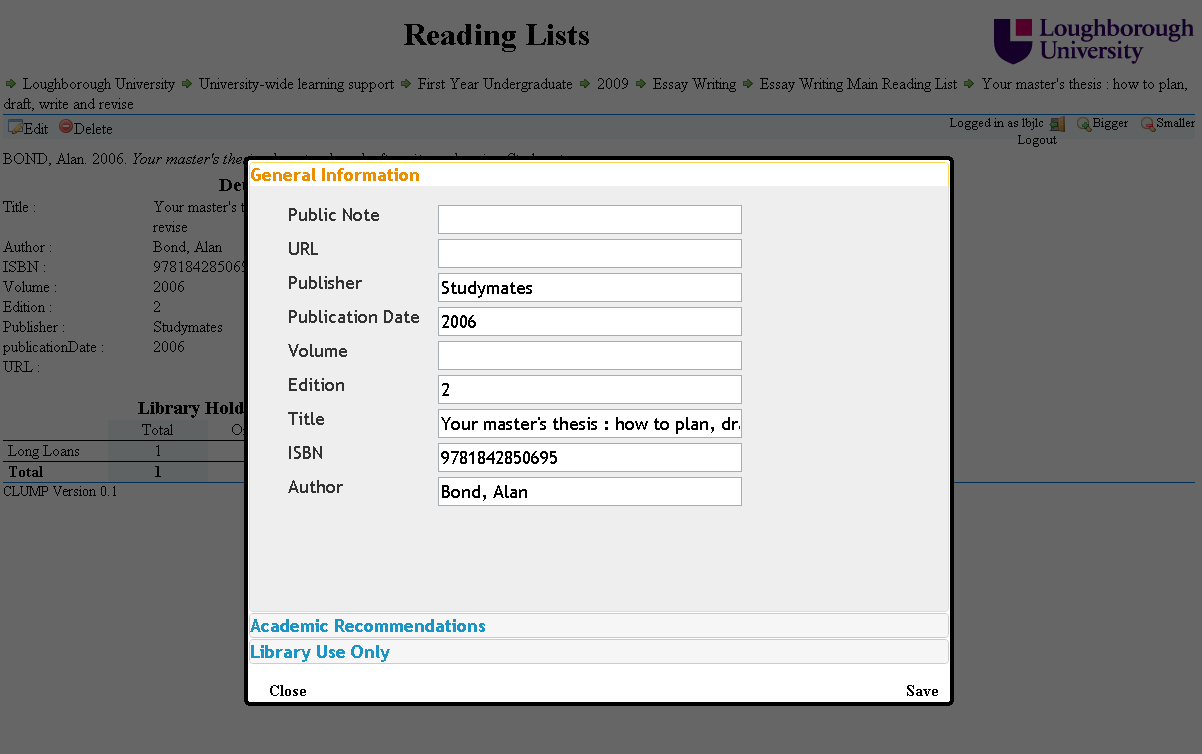
CLUMP has had the ability to display items ready for editing for a while now, but users haven’t actually been able to save the items once they have finished making changes. I have finally gotten round to writing the code to do this.
The main difficulty I had was, do I get CLUMP to simply write every bit of metadata back to LUMP or do I try to do something a bit more robust. After discussing this with the rest of the team we decided that when CLUMP pulls the metadata out for displaying in the edit form it needs to store the current timestamp for each piece of metadata. Then when it comes to saving the data CLUMP first needs to get another copy from LUMP and compare the metadata on the server to the metadata being written back.
If CLUMP’s and LUMP’s metadata values match then there is no need to write that value back to the server (thus preserving its timestamp). If the value of a piece of metadata for CLUMP differs to LUMP then CLUMP needs to compare the relevant timestamps.
If the timestamp for the metadata from LUMP matches the one CLUMP has stored then it knows it can write the value back to LUMP as it is a change the user has made. If the timestamps don’t match then the metadata is in a no man’s land state (as someone else has edited it at the same time) and CLUMP has to tell the user that the value on the server has changed and find out if they want the version that now exists on the server or the version that is on their edit form.